


Migration · free
Switch your barbershop app without losing a client.
Export, import, run both for a week, cancel. We help with the first import for free.
Book a switching call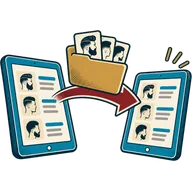
The five-step switching plan
- #810 min
Export from your current app
Download clients (name, phone, email, notes) and products (name, price, barcode, stock) as CSV. Most apps put this under Settings, Reports or Clients.
- #410 min
Open the import screens
Contacts → Import customers, and Products → Import products. Download our CSV template and match your columns to it.
- #215 min
Import and check
Upload the file, fix any rows the import flags (usually phone formats), and spot-check ten clients.
- #11–2 weeks
Run both for a week
Keep the old app’s bookings until they are done, take new bookings and walk-ins in getbarberpos.
- #05 min
Cancel the old app
Once future bookings have moved over, cancel. Download any final reports first.
Coming from…
| From | What moves by CSV | More |
|---|---|---|
| Booksy | Client list and services export as CSV; future appointments move by hand or by rebooking. | Details |
| SQUIRE | Client export from the dashboard; product list as CSV. | Details |
| Square Appointments | Customer directory and item library both export as CSV. | Details |
| Fresha | Client list export; check notes columns before importing. | Details |
| Paper or spreadsheets | Type into our template, or send us a photo-free spreadsheet and we help shape it. | Details |
There are no live integrations with these apps; everything moves by file export and import. Product names are trademarks of their owners.
Book a switching call
20 minutes. Bring your export file if you have it.
FAQ · 8 questions
Switching questions
Q01Can I move my clients from Booksy to getbarberpos?
Yes. Export your client list from Booksy as a CSV file and import it on the Contacts screen. There is no live connection between the two apps; the CSV carries names, phones, emails and notes.
Q02Does switching cost anything?
No. Importing is free on every plan, and we help with your first import on a switching call at no charge.
Q03Will I lose my appointment history?
Past appointments usually stay in the old app. Keep a final export for your records; client cards in getbarberpos start fresh history from the import.
Q04What about future bookings?
Run both apps for a week or two while the old bookings play out, and send clients your new booking link for anything new.
Q05Can you move my products and stock?
Yes. Products import by CSV with price, barcode and stock count, so your shelf is ready on day one.
Q06Will clients notice the switch?
Only the booking link changes. Share it on Instagram, Google and by text; walk-ins see the new check-in tablet.
Q07Can I keep my card reader?
If your processor works with our setup, yes. If your reader is locked to the old app (as some are), ask your processor about a compatible one.
Q08How long does the switch take?
An hour of work and a week or two of overlap for future bookings, for most shops.
Skin · the last pass
Take it down to skin.
Try every feature free for 30 days. No card, no contract, no per-barber fees.
- Cancel any time
- Bring your clients by CSV
- Your processor, no markup